Automatically Set Aside Revenue for Taxes and Expenses
If taxes and supplier bills keep competing with everyday spending, a single business balance may be hiding the problem. Revenue allocation gives incoming money a purpose before you decide how much is available for a new purchase. The useful starting point is your obligations, not a universal percentage.
Separate collected Sales Tax from your own reserves
Sales Tax collected on behalf of a tax authority is different from money reserved toward your business's own tax obligations. Establish which amounts your provider reports and what your business owes in its jurisdiction. Do not apply a second deduction to a figure that already excludes the same tax or fee.
VaultSplit can separate reported or configured Sales Tax before allocation. The Tax Vault and your allocation percentages are not a tax calculation, tax return or recommended tax rate. Confirm the treatment and reserve level with a qualified adviser.
Build a rule around real operating needs
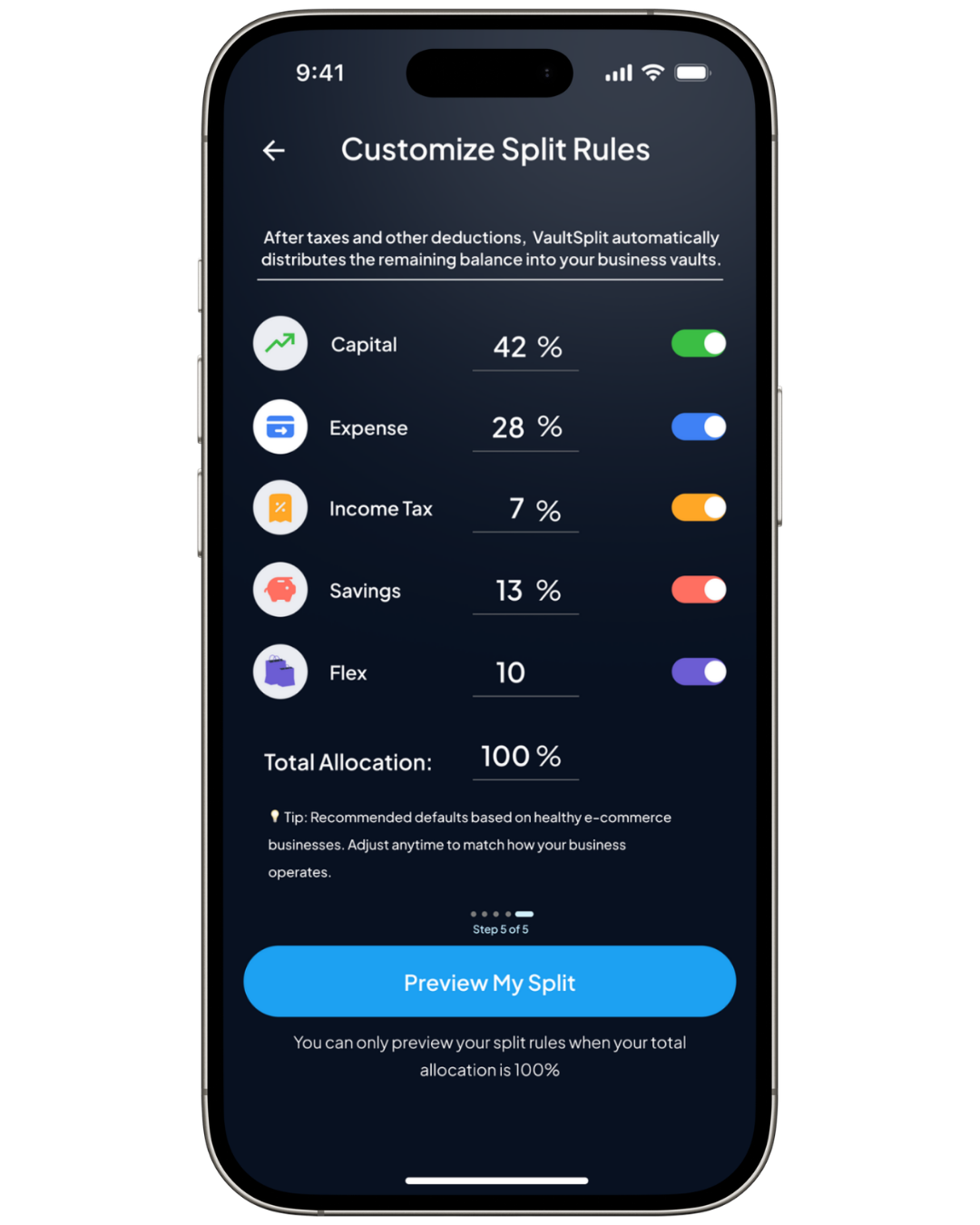
List regular bills, supplier commitments, planned reinvestment and a contingency reserve. Decide what should go to Operating Expenses, Capital, Savings, Taxes and Flexible Spending. Make sure the percentages total 100% and that the amounts make sense at both a strong and a weak sales level.
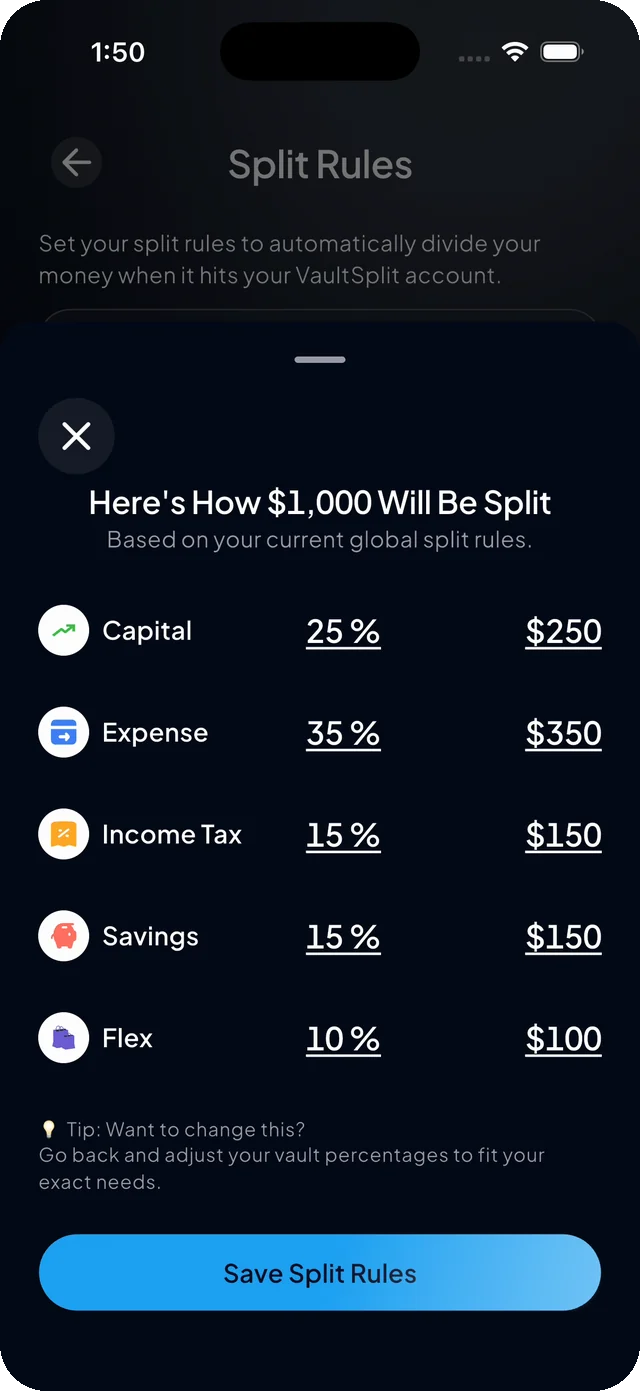
An illustrative $1,000 of allocatable revenue split 35% to expenses, 25% to capital, 15% to taxes, 15% to savings and 10% to flexible spending becomes $350, $250, $150, $150 and $100. These are example choices, not recommended percentages, a tax rate or customer results.
Automate the repeatable step, keep the review
In VaultSplit, connect an eligible supported source, configure the split rule and preview its amounts before saving. Supported incoming revenue is organized into vaults under that rule, with recorded activity available for bookkeeping and reconciliation. Each business can have its own context and settings.
Review refunds, fees, payout timing and changing bills against the actual records. A successful allocation is not evidence that the underlying provider has settled a payout. Changes to a rule are for future activity, not a promise to rewrite past financial records.
A practical workflow
- Confirm the allocatable amount and Sales Tax treatment.
- Choose categories and percentages based on actual obligations.
- Preview the split before saving the rule in the app.
- Reconcile activity and review reserve adequacy regularly.
Questions owners ask
How much should I reserve for taxes as an online seller?
There is no universal rate. Jurisdiction, entity structure and your tax position matter. Agree an appropriate reserve with a qualified adviser; VaultSplit applies the rules you configure rather than determining your full liability.
Will allocation guarantee that my business is profitable?
No. Allocation organizes money; profit also depends on revenue recognition, costs, refunds, inventory and other obligations. Review the books as well as the vault balances.
Are automated splits free?
Basic has no subscription charge but a transaction fee applies to automated revenue splits. Growth includes unlimited allocations without allocation transaction fees. Provider and withdrawal charges may still apply; see Pricing and the in-app review.
Check the fit before connecting
Review how the features work, supported integrations and limitations, and plans and fees. Contact the team if your source or country is unclear.
Read the guides on sales versus available cash and setting up allocation categories.
Discuss your financial workflow